
SETUP GUIDE
Step-by-Step Guide CopyX, TagMarkets & Sonic
Eleven simple steps from registration and connecting with SONIC AI to withdrawing your profit to your crypto wallet.
Register on CopyX
CopyXClick your sponsor's referral link (partner or Smart Funnel link) and fill in all the required fields.
You can find your personal partner link at:
https://copyxapp.com/profile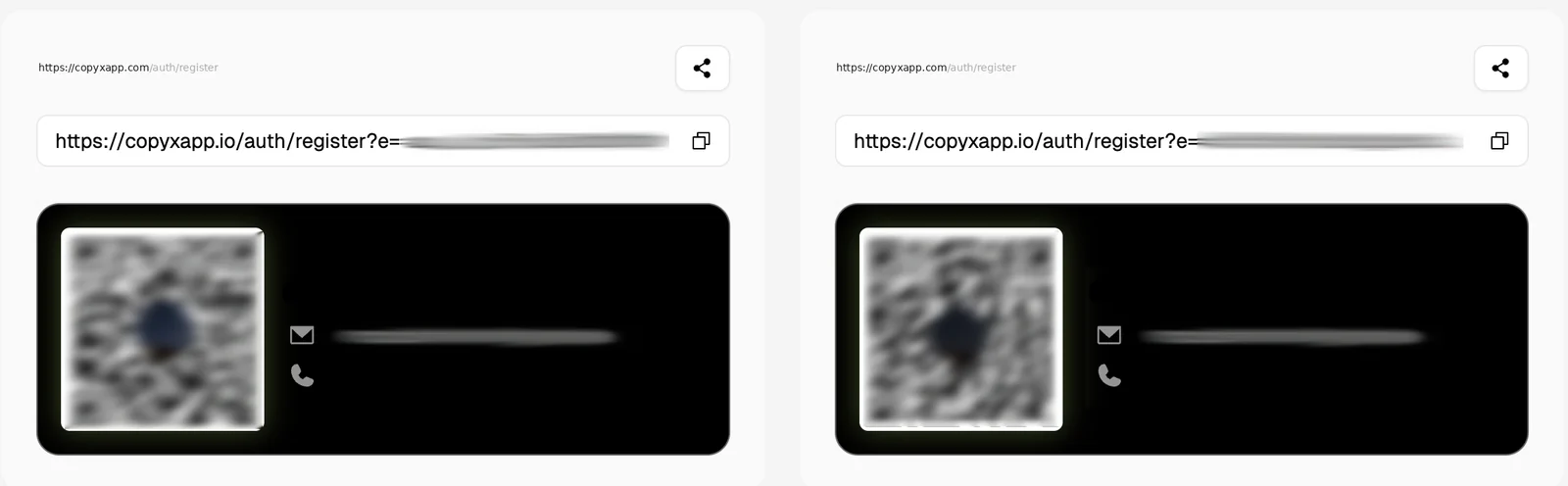
Confirm your e-mail
CopyX- You will receive a confirmation e-mail from CopyX.
- Open the e-mail and click “Verify your Email” to activate your account.
Log in to CopyX
CopyXOnce your e-mail has been confirmed, log in using your credentials:
https://copyxapp.com/Connect to TAG Markets
TAG Markets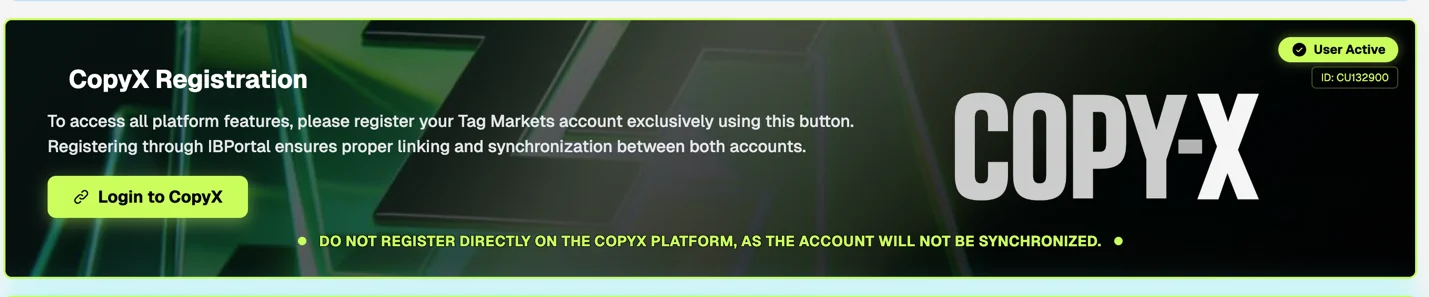
- After logging in, scroll down a little to the “CopyX Registration” section.
- Click “Register at CopyX / TAG Markets”.
- Enter your password again and click “Sync Account”.
Do not register directly on the CopyX platform, as the account will not be synchronised.
After this, if logging in to TAG Markets does not work, try resetting your password. A reset email will be sent and you can continue from there.
Confirm your TAG Markets e-mail
TAG Markets- You will receive another e-mail from TAG Markets.
- Click “Confirm your Email” to activate your broker account.
Log in to TAG Markets
TAG MarketsLog in to your TAG Markets account:
https://portal.tagmarkets.com- Fill in the requested financial information.
- Then click “Submit”.
Verification (KYC)
TAG Markets- Click “Upload your Documents”.
- Upload your ID document and complete the verification process.
Deposit
TAG Markets- Click “Deposit”.
- Choose the amount you want to deposit.
- Choose your preferred payment method: cryptocurrency, Visa / Mastercard, bank transfer.
Deposits via Visa or Mastercard carry a 6 % fee. For this reason, depositing with cryptocurrency is preferred. If you have any questions about crypto, we are happy to help.
Connect Copy Trading with SONIC
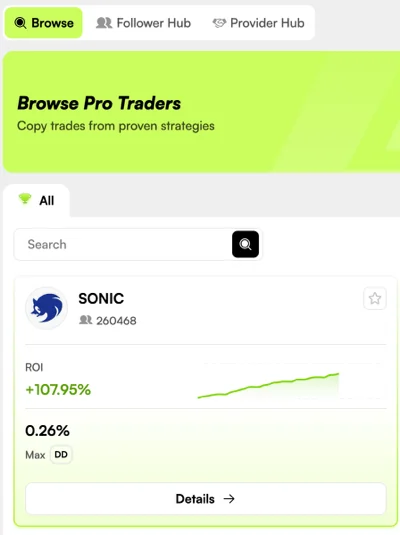
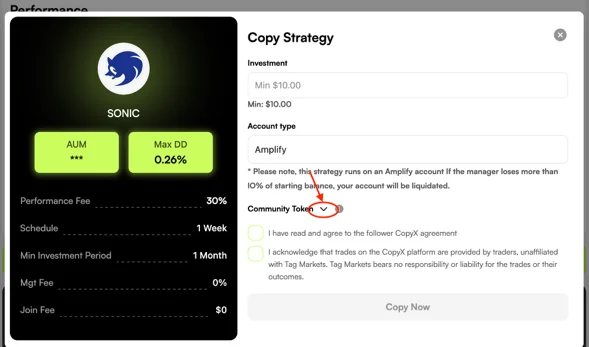
Sonic- Go to the “CopyX” section.
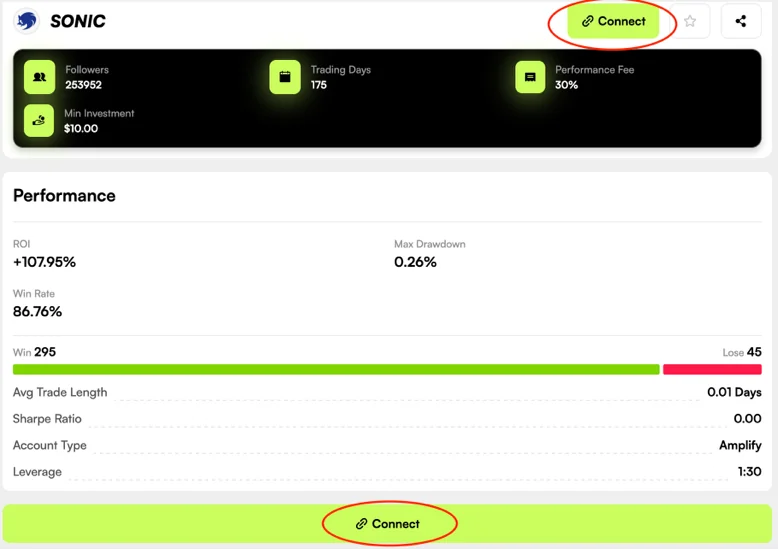
- Select the “SONIC” strategy.
- Click “Connect”.
IMPORTANT
- Click the small black arrow next to “Community Token”.
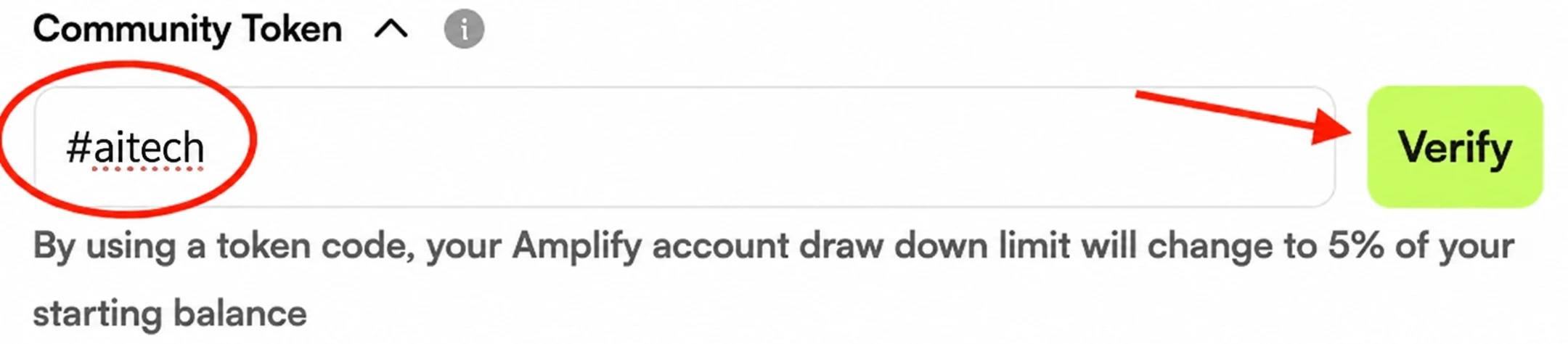
- Enter the following code: #aitech
- Then click “Verify”.
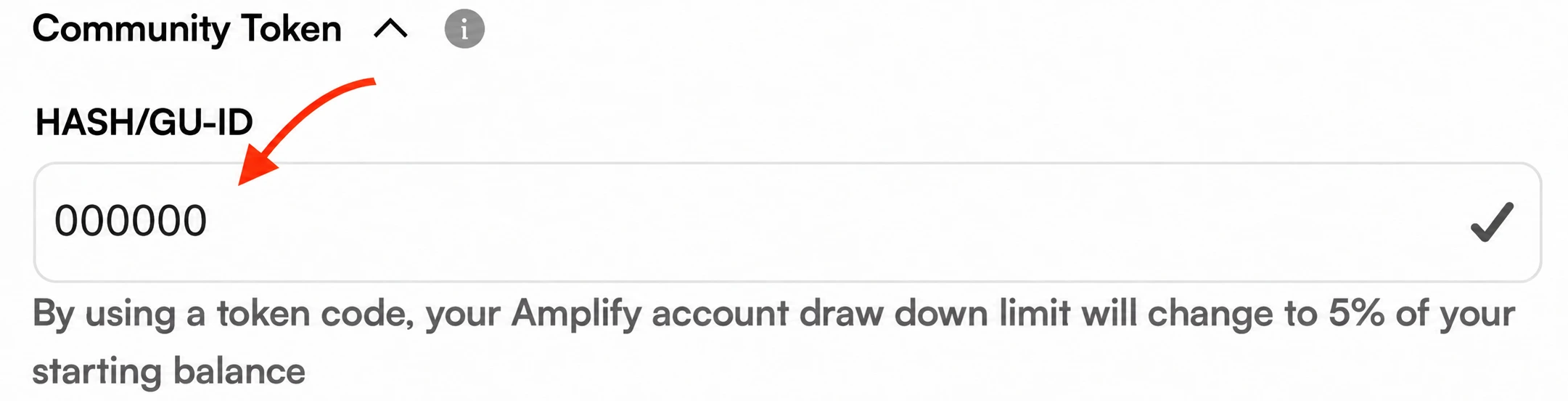
- The “HASH” field will appear on the right.
- Enter 000000 (six zeros) in the “HASH” field.
- Confirm with “Submit”.
- In the “Invest” field, enter the amount you want to invest.
- Tick the two required confirmation boxes.
- Then click “Copy Now”.
Connect MetaTrader 5
MT5To follow all trades live:
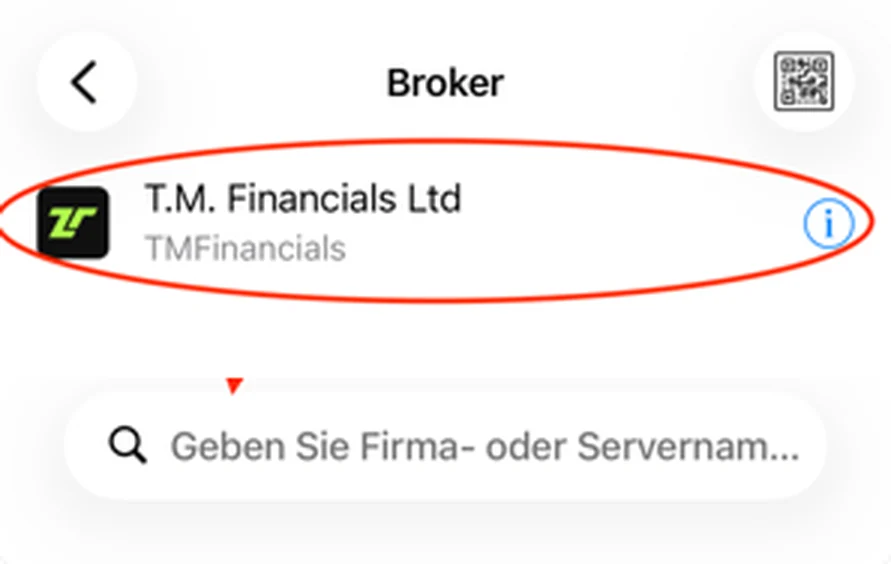
- Download the MetaTrader 5 (MT5) app and tap “New account”.
- Search for the following server: TM Financials Ltd.
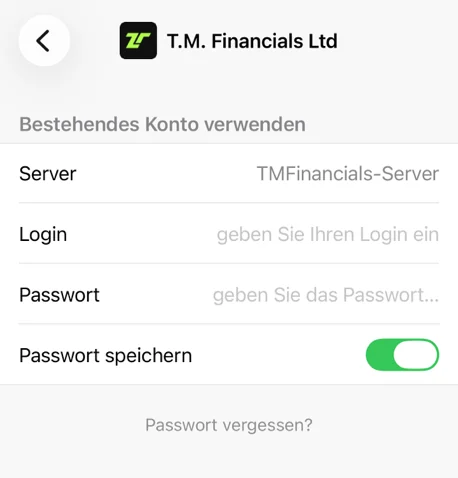
- Log in using the credentials shown in your new TAG Markets strategy: the account number (Login) and the master password (Master Password).
Withdrawing your profit to your crypto wallet
WithdrawalYou can withdraw your account balance and trading profits at any time to your personal crypto wallet via the Tag Wallet section in the TAG Markets customer portal:
https://portal.tagmarkets.com/en/dashboard/customer/my-wallet- Save your cryptowallet address: Save your receiving address in the menu under Banking Zone → Your Crypto Wallets (e.g. USDC on Polygon or USDT).
- Enter a withdrawal amount and continue: Enter the desired amount and click Continue. Use a dot (
.) for fractions, and do not use a thousands separator (e.g.1250.00). - Select your cryptowallet address and in the second dropdown choose "Crypto": Select your saved address and in the second dropdown choose “Crypto”.
💡 Tip: If you do not see a second dropdown on your smartphone, hold your device in landscape mode. - Confirm: Confirm the withdrawal. Payouts are usually processed within a few hours (maximum 48 hours).
All done!
You are now fully set up, connected with SONIC AI, and know how to withdraw your profits to your crypto wallet. Best of success!
Informational guide. Trading leveraged products carries the risk of losing your invested capital.